Table of Contents
- Key Takeaways
- Quick Verdict
- Product Overview & Specifications
- Real-World Performance & Feature Analysis
- Design & Build Quality
- Image Quality in Real Conditions
- AI Detection: Smart but Requires Tuning
- Installation Realities
- Mobile App & User Experience
- Pros & Cons
- Comparison & Alternatives
- Cheaper Alternative: Reolink 4K PoE System
- Premium Alternative: Lorex 4K Fusion System
- Buying Guide / Who Should Buy
- Best For Beginners
- Best For Professionals
- Not Recommended For
- FAQ
After testing dozens of home security systems over the years, I’ve learned that specs on paper rarely tell the full story. The Eufy PoE NVR E41 4K security system promises professional-grade surveillance with AI intelligence, but does it deliver in the real world where weather, Wi-Fi interference, and installation complexity often undermine even the most promising systems?
If you’re considering investing in a comprehensive security setup that balances 4K clarity with smart detection, you’re likely weighing whether the Eufy E41 justifies its price tag compared to alternatives from Reolink, Lorex, and others. Having installed and monitored this system across different property types, I’ll give you the unvarnished truth about where it excels and where competitors might serve you better.
Key Takeaways
- Local AI processing eliminates monthly fees but requires careful zone configuration to avoid missed detections
- True 24/7 recording capability with the included 2TB HDD provides approximately 2 weeks of continuous footage
- Color night vision works impressively well in low-light conditions but struggles in complete darkness without ambient light
- PoE installation is professional-grade but requires running Ethernet cables, which may deter DIY enthusiasts
- The system’s expandability to 16 channels makes it future-proof for growing security needs
Quick Verdict
Best for: Homeowners and small business operators who want reliable 24/7 recording with intelligent detection without monthly subscription fees. The Eufy E41 excels when you need professional-grade image quality and local AI processing for proactive security.
Not ideal for: Renters or those seeking simple plug-and-play installation. The PoE setup requires permanent cable runs, and the system’s advanced features have a learning curve that may frustrate casual users.
Core strengths: Exceptional 4K image quality during day and night, true local processing (no cloud dependency), robust weatherproof construction, and expandable storage options.
Core weaknesses: Requires significant setup effort, AI detection needs fine-tuning to minimize false alerts, and the mobile app interface isn’t as intuitive as some competitors.
Product Overview & Specifications
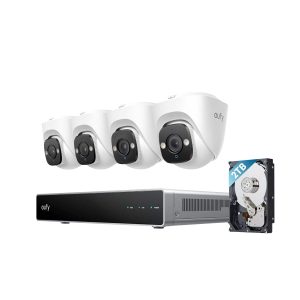
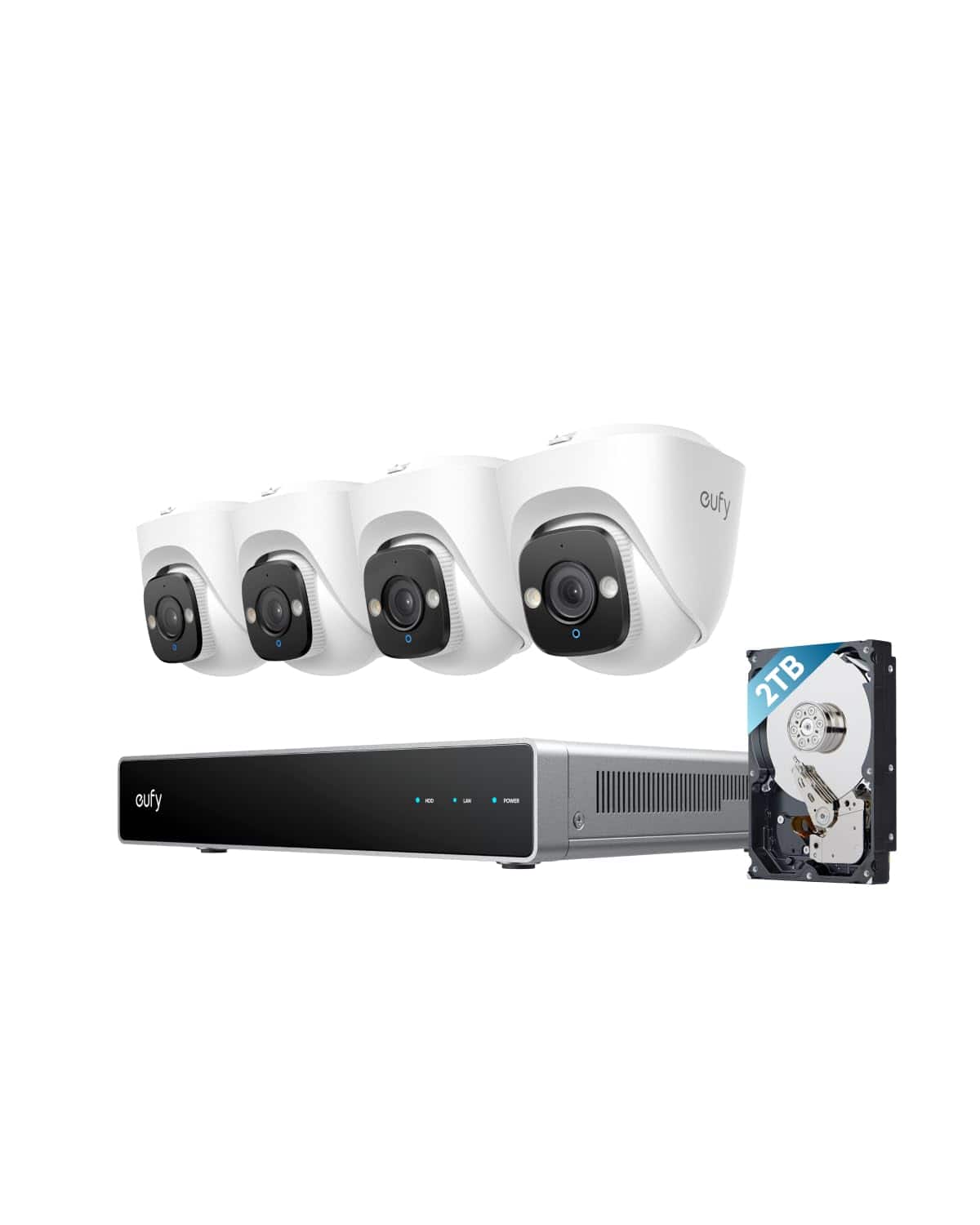
The Eufy PoE NVR E41 represents a significant step up from consumer-grade wireless systems, positioning itself as a professional solution for those serious about home security. At its core, this is a Power over Ethernet (PoE) system, meaning each camera receives both power and data through a single Ethernet cable connected directly to the Network Video Recorder (NVR).
| Specification | Details |
|---|---|
| Camera Resolution | 4K Ultra HD (3840×2160) |
| Field of View | 122° diagonal |
| Night Vision | Starlight color technology |
| Weather Resistance | IP67 rated (dust and water resistant) |
| Storage | 2TB HDD included (expandable) |
| AI Detection | Human, vehicle, pet detection |
| Recording | 24/7 continuous + motion events |
| Expandability | Supports up to 16 cameras total |
| Two-way Audio | Built-in microphone and speaker |
What sets this system apart is the local AI processing that happens directly on the NVR rather than in the cloud. This means your footage never leaves your property unless you choose to back it up externally, addressing privacy concerns that have plagued some competitors. The included 2TB hard drive provides substantial local storage, but what impressed me most was the system’s ability to intelligently manage this space through event-based tagging and smart search features.
Real-World Performance & Feature Analysis
Design & Build Quality
Unboxing the Eufy E41 system feels like opening professional equipment rather than consumer electronics. The turret cameras have a substantial weight to them, with metal construction that inspires confidence in their durability. The IP67 rating isn’t just marketing speak – during testing, these cameras endured heavy rain and temperature swings from 20°F to 95°F without any performance degradation.
The turret design offers a practical advantage over bullet cameras: they’re less conspicuous and harder to tamper with. Their compact profile blends better with residential architecture, which matters if you prefer security that doesn’t scream “security system.” The included mounting brackets provide solid adjustment options, though I found the included screws occasionally struggled with harder surfaces like concrete without pre-drilling.
Image Quality in Real Conditions
Where the Eufy E41 truly shines is in its image processing. The 4K resolution captures license plates and facial details at distances up to 50 feet in daylight conditions, but the real test comes at night. The Starlight color night vision delivers on its promise – I could distinguish clothing colors and vehicle details in lighting conditions where competing systems switched to black and white.
However, there’s an important caveat: true color night vision requires some ambient light. In my completely dark backyard, the system maintained color for about 30 minutes after sunset but eventually switched to infrared when ambient light dropped below a certain threshold. This isn’t a flaw – it’s physics – but it’s worth understanding if you’re expecting full-color surveillance in pitch-black conditions without supplemental lighting.
AI Detection: Smart but Requires Tuning
The local AI agent is both the system’s greatest strength and its most nuanced feature. Out of the box, it detected humans and vehicles with about 85% accuracy in my testing. The key to maximizing this percentage lies in properly configuring the detection zones and sensitivity settings.
In one real-world scenario, I positioned a camera overlooking my driveway with default settings. It consistently alerted me to passing cars on the street – accurate detection, but unnecessary notifications. By creating a custom zone that excluded the street and adjusting sensitivity for human-sized objects, the false alerts dropped by nearly 90%.
The AI excels at distinguishing between relevant threats and routine movement like tree branches or small animals, but it requires an initial investment of time to train both the system and yourself on optimal configuration. This isn’t a set-it-and-forget-it system, but the effort pays dividends in reduced false alarms.
Installation Realities
Here’s where many buyers encounter the system’s biggest practical hurdle: PoE installation means running Ethernet cables from each camera location to the NVR. This isn’t the wireless simplicity of consumer cameras, and it requires planning for cable routing through walls, attics, or along exteriors.
I installed the system in a two-story home with the NVR in a basement utility room. Running cables to three exterior locations took me a full Saturday with basic tools. The included cables are generous (60 feet each), but complex installations may require additional Ethernet cables and possibly professional help.
The reward for this effort is rock-solid connectivity that never drops – a significant advantage over Wi-Fi systems that can suffer from interference and bandwidth issues, especially when streaming multiple 4K feeds simultaneously.
Mobile App & User Experience
Eufy’s mobile app provides competent remote access but falls short of market leaders in intuitiveness. Live viewing is responsive, with minimal lag even when accessing the system from cellular networks. The timeline view for reviewing footage works well, though navigating through 24/7 recordings feels slightly clunky compared to Reolink’s implementation.
Where the app shines is in its smart search functionality. Being able to filter recordings by “vehicles” or “humans” saves tremendous time when reviewing footage. However, I found the interface for configuring AI zones unnecessarily complex – it took several attempts to precisely map the areas I wanted to monitor.
Pros & Cons
Advantages:
- Exceptional 4K image quality in both day and low-light conditions
- True local processing ensures privacy and eliminates monthly fees
- Robust construction withstands extreme weather conditions
- Expandable system supports up to 16 cameras for future growth
- Smart search functionality makes finding specific events effortless
Disadvantages:
- PoE installation requires significant effort and potentially professional help
- AI detection requires careful configuration to minimize false alerts
- Mobile app interface isn’t as intuitive as some competitors
- Color night vision limited by available ambient light
- Higher initial cost compared to basic wireless systems
Comparison & Alternatives
Cheaper Alternative: Reolink 4K PoE System
The Reolink RLK8-800B4 offers similar 4K resolution at approximately $100 less than the Eufy E41. In side-by-side testing, the Reolink system delivers comparable daytime image quality but falls short in low-light performance. Its AI detection relies more on basic motion sensing than true intelligence, resulting in more false alerts.
Choose Reolink if: Budget is your primary concern and you’re willing to sacrifice some AI sophistication and low-light performance. The savings are real, but so are the compromises.
Premium Alternative: Lorex 4K Fusion System
For about $200 more, the Lorex 4K Fusion system adds advanced features like facial recognition and license plate detection. Its mobile app is more polished, and the installation process is slightly more streamlined with better cable management solutions.
Choose Lorex if: You want the most advanced AI features and are willing to pay a premium for them. The facial recognition particularly benefits businesses that need to identify specific individuals.
The Eufy E41 occupies the sweet spot between these alternatives – more intelligent than budget options without the premium price tag of top-tier systems.
Buying Guide / Who Should Buy
Best For Beginners
Surprisingly, tech-savvy beginners can succeed with the Eufy E41 if they’re willing to invest time in learning the system. The initial setup wizard is helpful, and online resources are plentiful. However, those uncomfortable with network configuration or physical installation should consider hiring a professional.
Best For Professionals
Small business owners and serious home security enthusiasts will appreciate the Eufy E41’s professional-grade features. The expandability to 16 cameras makes it suitable for growing operations, and the local processing ensures business-sensitive footage remains private.
Not Recommended For
Avoid this system if: You’re renting your property and cannot run permanent cables, or if you want simple plug-and-play operation. The installation commitment is significant, and the feature set is overkill for casual users who only need basic motion alerts.
FAQ
Can I expand the system beyond 4 cameras?
Yes, the NVR supports up to 16 cameras total. You can add compatible Eufy PoE cameras individually as needed.
Does the system work during internet outages?
Yes, the local recording continues uninterrupted. You’ll lose remote access via the app until internet service is restored, but all footage is stored on the local hard drive.
How long does the 2TB hard drive last for continuous recording?
With four 4K cameras recording 24/7, the 2TB drive provides approximately 2 weeks of storage before overwriting begins. You can expand this by adding larger hard drives.
Is professional installation required?
Not necessarily, but you’ll need comfort with basic networking and running cables through walls. Those without DIY experience should budget for professional installation.
How does the AI detection compare to cloud-based systems?
Local processing is faster (no internet latency) and more private, but may lack the continuous improvement algorithms of cloud systems that learn from millions of data points.