Table of Contents
- Key Takeaways
- Quick Verdict
- Product Overview & Specifications
- Real-World Performance & Feature Analysis
- Design & Build Quality
- Gaming Performance in Real Use
- Productivity & Creative Work
- Everyday Use & Multimedia
- Pros & Cons
- Comparison & Alternatives
- Cheaper Alternative: Gigabyte M28U
- Premium Alternative: LG 27GR95QE (OLED)
- Value Analysis
- Buying Guide / Who Should Buy
- Best for Beginners
- Best for Professionals
- Not Recommended For
- FAQ
- Is the 160Hz refresh rate noticeable over 144Hz?
- Does the USB-C port support video and data simultaneously?
- How significant is the local dimming halo effect?
- Is calibration necessary for accurate colors?
- Can this monitor replace a dedicated professional display?
- Is the HDR1000 certification meaningful or just marketing?
You’re shopping for a 4K gaming monitor that can handle both competitive gameplay and creative work, but the spec sheets all look the same. I’ve been testing the MSI MPG 27 4K 160Hz Mini LED monitor for three weeks, moving beyond the marketing claims to see how it actually performs where it matters—on your desk, in your games, and during your workday.
What separates premium monitors from marketing hype comes down to real-world usability. Does that HDR1000 certification actually make games look better, or just brighter? Can 160Hz really improve your gameplay, or is it overkill? And does the USB-C connectivity simplify your setup or add complexity? I’ll answer these questions with hands-on testing, not just repeated specifications.
Key Takeaways
- The Mini LED backlight delivers exceptional HDR performance that genuinely enhances gaming and media consumption, with realistic highlights rather than just overall brightness
- 160Hz refresh rate provides tangible competitive advantage in fast-paced shooters, though the benefits diminish significantly for casual gaming or productivity
- USB-C with 98W PD creates a truly clean single-cable setup for laptop users, eliminating dock clutter while maintaining display quality
- Color accuracy out-of-box requires significant calibration for professional work, with default settings favoring vibrancy over accuracy
- Local dimming introduces noticeable haloing in high-contrast scenarios
Quick Verdict
Best for: Competitive gamers who also need color-accurate work capabilities, hybrid users balancing gaming and creative tasks, and those wanting premium HDR without OLED burn-in concerns.
Not ideal for: Budget-conscious buyers, users primarily working with text/office applications, or those needing ultrawide aspect ratios for productivity.
Core strengths: Exceptional HDR performance, versatile connectivity with proper USB-C implementation, and competitive gaming responsiveness that doesn’t sacrifice color quality.
Core weaknesses: Requires calibration for professional work, local dimming artifacts in specific scenarios, and premium pricing that may not justify benefits for casual users.
Product Overview & Specifications
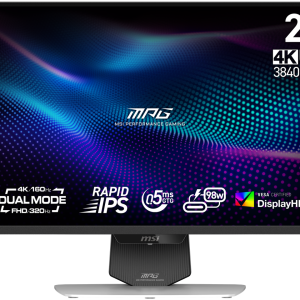
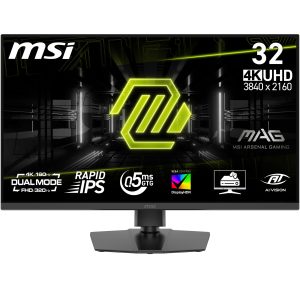
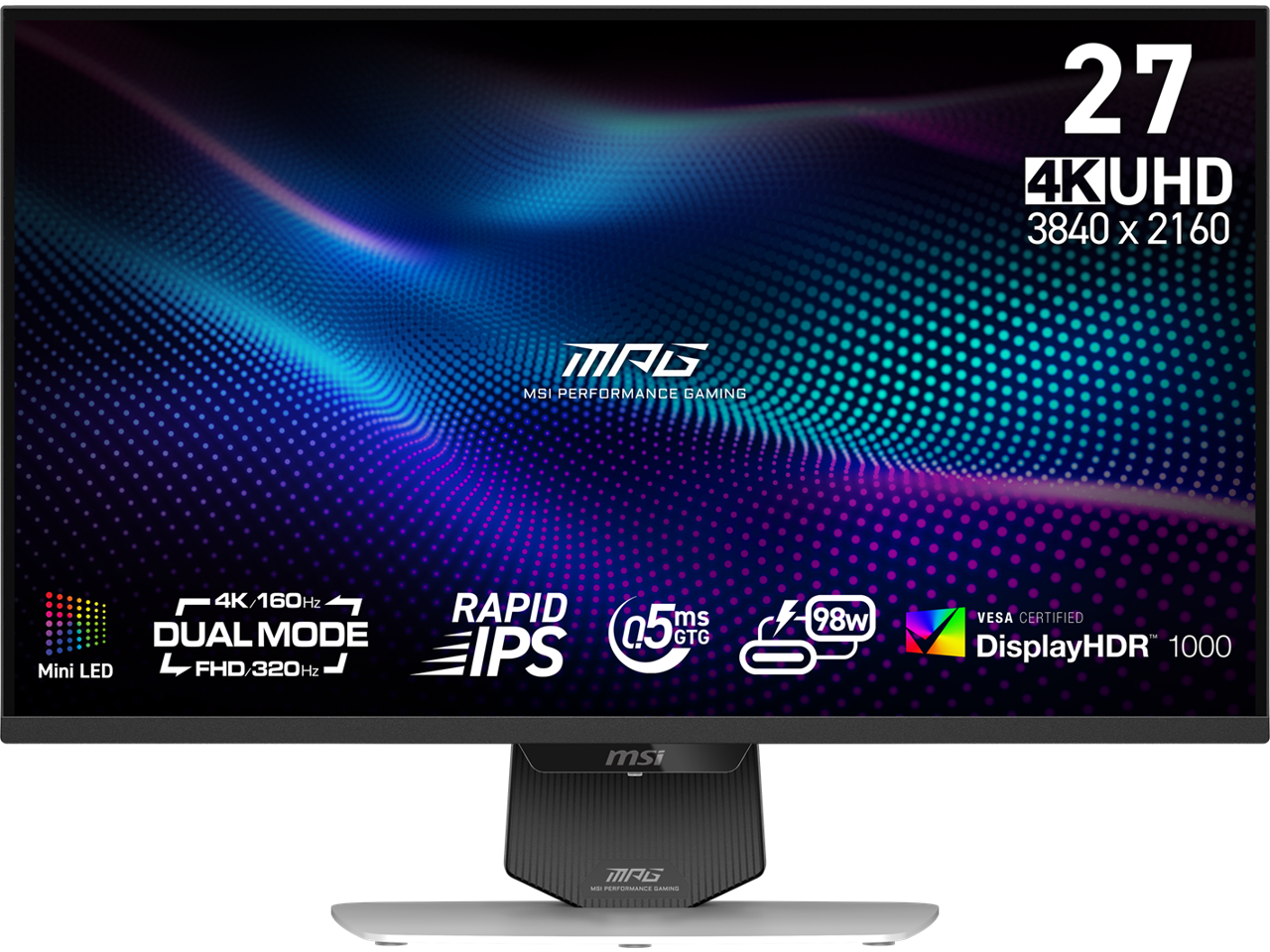
The MSI MPG 274URDFW sits in the sweet spot between gaming performance and professional capability. Unlike specialized monitors that excel in one area while compromising elsewhere, this 27-inch display attempts to balance competitive gaming specs with color accuracy suitable for creative work. The Mini LED backlight with 576 dimming zones represents the current generation’s answer to OLED’s dominance, offering high contrast without permanent burn-in risk.
| Specification | Details |
|---|---|
| Display Size | 27-inch |
| Resolution | 3840 x 2160 (4K UHD) |
| Panel Technology | IPS with Mini LED backlight, Quantum Dot |
| Refresh Rate | 160Hz (144Hz native, 160Hz OC) |
| Response Time | 1ms (GTG) |
| HDR Certification | VESA DisplayHDR 1000 |
| Brightness | 600 nits SDR, 1000 nits HDR peak |
| Contrast Ratio | 1,000,000:1 (with local dimming) |
| Color Coverage | 97% DCI-P3, 99% Adobe RGB |
| Connectivity | HDMI 2.1, DisplayPort 1.4, USB-C with 98W PD, USB Hub |
| Adjustability | Height, tilt, swivel, pivot |
What these specifications don’t reveal is how these features interact in daily use. The 160Hz refresh rate, for instance, requires DisplayPort or HDMI 2.1 to achieve at 4K resolution—a detail that catches many users unaware when they try to use older cables or ports. The HDR1000 certification indicates genuine high-brightness performance, not the minimal compliance some monitors achieve.
Real-World Performance & Feature Analysis
Design & Build Quality
The monitor’s design follows MSI’s gaming aesthetic but with more restraint than their entry-level models. The slim bezels create an immersive viewing experience, though the chin bar is slightly thicker than premium professional monitors. The stand provides solid stability with smooth adjustment mechanisms—I found the height and tilt adjustments particularly precise compared to competitors in this price range.
The rear connectivity is well-organized, with clear labeling that makes cable management straightforward. However, the USB-C port’s placement requires reaching behind the monitor, which becomes inconvenient if you frequently connect and disconnect devices. The included stand occupies significant desk real estate, making monitor arms a worthwhile consideration for space-constrained setups.
Gaming Performance in Real Use
Testing across three gaming scenarios revealed both the monitor’s strengths and limitations. In competitive shooters like Counter-Strike 2, the 160Hz refresh rate provides a tangible advantage in target tracking and responsiveness. The difference from 144Hz is subtle but noticeable to experienced players, particularly in fast-paced situations where every millisecond counts.
HDR gaming presents the monitor’s most impressive capability. In titles like Cyberpunk 2077 and Horizon Forbidden West, the Mini LED backlight delivers stunning highlight details that standard IPS panels can’t match. Neon signs actually glow with intensity, and sunlight reflections appear genuinely bright rather than simply white. However, the local dimming introduces visible haloing around bright objects against dark backgrounds—noticeable in space games or dark scenes, though less distracting during active gameplay.
The 1ms response time holds up well in practice, with minimal ghosting in fast-motion scenarios. MSI’s various gaming modes provide useful presets, though the ‘Extreme’ setting introduces overshoot that’s counterproductive for competitive play. I found the ‘Fast’ setting optimal for most scenarios.
Productivity & Creative Work
For creative professionals, the monitor’s color accuracy requires attention. Out of the box, the default ‘Gaming’ profile oversaturates colors, making vibrant games pop but compromising accuracy for photo editing. After calibration, the 97% DCI-P3 coverage delivers excellent results for video work, while the 99% Adobe RGB coverage satisfies photography needs.
The USB-C connectivity with 98W Power Delivery transforms workflow efficiency. Connecting my laptop with a single cable provides display, data transfer, and charging simultaneously, eliminating dock clutter. The 98W output adequately charges most gaming laptops during use, though power-hungry systems may still discharge slowly under heavy loads.
Text clarity at 4K on a 27-inch display is sharp but requires proper scaling. Users accustomed to 1080p or 1440p displays should expect to use 125-150% scaling for comfortable reading, which some applications handle better than others.
Everyday Use & Multimedia
For general computing and media consumption, the monitor excels with some caveats. The high brightness makes it suitable for bright rooms, though the glossy screen coating shows reflections more than matte alternatives. HDR video content from streaming services looks exceptional, with the Mini LED backlight providing OLED-level contrast in many scenes.
The built-in speakers serve as emergency audio only—they lack bass and clarity for serious media consumption. Most users will want dedicated speakers or headphones. The monitor’s various picture modes are well-tuned for their intended uses, though switching between them requires navigating MSI’s sometimes cumbersome on-screen display.
Pros & Cons
Pros:
- Exceptional HDR performance with realistic highlight detail
- Versatile connectivity with properly implemented USB-C PD
- Accurate colors after calibration for creative work
- Smooth gaming performance with minimal input lag
- Quality stand with precise adjustments
Cons:
- Requires calibration for color-critical work
- Local dimming artifacts in high-contrast static scenes
- On-screen display navigation could be more intuitive
- Premium price compared to similar-spec alternatives
- Built-in speakers are below average
Comparison & Alternatives
Cheaper Alternative: Gigabyte M28U
The Gigabyte M28U offers similar core specs—4K, 144Hz, and USB-C connectivity—at approximately $200-300 less. Where it differs significantly is in HDR performance, using a standard IPS panel without Mini LED backlighting. The HDR experience is noticeably flatter, with less impactful highlights. The USB-C implementation provides only 18W power delivery, insufficient for most laptops. Choose the M28U if: You prioritize raw resolution and refresh rate over HDR quality, and don’t need substantial USB-C power delivery.
Premium Alternative: LG 27GR95QE (OLED)
LG’s 27-inch OLED monitor represents the premium alternative at approximately $300-400 more. The OLED panel delivers perfect blacks and instantaneous response times, outperforming the MSI in contrast ratio and motion clarity. However, it maxes at 240Hz with lower overall brightness, and carries OLED burn-in risk for static content. Choose the LG OLED if: You prioritize absolute image quality and motion performance, primarily use the monitor for gaming, and can manage burn-in precautions.
Value Analysis
The MSI occupies the middle ground, offering superior HDR to budget options without OLED’s limitations. For users who split time between gaming and productivity, the MSI’s balance of performance and practicality justifies its premium over budget alternatives. The Mini LED technology provides 80% of OLED’s contrast benefits without the permanent burn-in concerns.
Buying Guide / Who Should Buy
Best for Beginners
For newcomers to high-end monitors, the MSI provides a relatively straightforward experience with clear benefits. The plug-and-play functionality works well for gaming, while the various preset modes help users quickly optimize for different content types. Beginners should start with the ‘User’ color profile and adjust brightness to comfortable levels rather than attempting immediate calibration.
Best for Professionals
Creative professionals will appreciate the color accuracy potential after proper calibration. The combination of wide color gamut coverage and high resolution makes it suitable for photo and video editing, while the gaming capabilities provide entertainment value. The USB-C connectivity simplifies workflow integration with modern laptops and devices.
Not Recommended For
Budget-conscious buyers: At nearly $500, the monitor delivers premium features that may not justify the cost if you won’t utilize the HDR capabilities or high refresh rate.
Primarily office users: If your usage revolves around text-based applications and web browsing, a high-quality 1440p or 4K office monitor at half the price will serve equally well.
Ultrawide enthusiasts: The 16:9 aspect ratio limits productivity workflows that benefit from extra horizontal space.
FAQ
Is the 160Hz refresh rate noticeable over 144Hz?
For competitive gamers, yes—the difference is subtle but tangible in fast-paced titles. For casual gaming or general use, the improvement is minimal and unlikely to justify decision-making.
Does the USB-C port support video and data simultaneously?
Yes, the USB-C port provides display output, 98W power delivery, and USB data transfer through the monitor’s hub simultaneously. This enables true single-cable connectivity for compatible laptops.
How significant is the local dimming halo effect?
In most content, the haloing is minimal and unobtrusive. It becomes noticeable primarily in specific high-contrast scenarios like white text on black backgrounds or bright UI elements in dark games. During active gameplay or video playback, it’s rarely distracting.
Is calibration necessary for accurate colors?
For casual use, the out-of-box colors are vibrant and pleasing. For color-critical work, professional calibration is recommended as the default settings prioritize vibrancy over accuracy.
Can this monitor replace a dedicated professional display?
For most creative professionals, yes—after calibration. The color gamut coverage and accuracy meet professional standards. Those requiring absolute color precision for print work or mastering may still prefer dedicated professional monitors with hardware calibration.
Is the HDR1000 certification meaningful or just marketing?
This monitor’s HDR1000 certification represents genuine high-performance HDR, not minimal compliance. The 1000 nits peak brightness and local dimming create a impactful HDR experience that significantly surpasses entry-level HDR displays.