Table of Contents
You’ve seen those mesmerizing videos—entire rooms pulsing with light that perfectly matches on-screen action. The promise of turning your living room into a mini IMAX theater is compelling, but is the Philips Hue Sync Box 8K the magic wand that makes it happen, or just another expensive gadget that loses its charm after the first movie night?
Having tested multiple sync systems over the years, I approached the Hue Sync Box 8K with healthy skepticism. The previous generation had limitations that frustrated serious home theater enthusiasts, while cheaper software alternatives often felt like compromises. What surprised me most wasn’t just the technical improvements, but how this device fundamentally changes your relationship with screen time—for better and occasionally for worse.
Key Takeaways
- The Hue Sync Box 8K delivers near-perfect synchronization with virtually no latency, making it ideal for gaming and fast-paced content
- Setup requires significant investment beyond the box itself—you’ll need Hue Bridge and compatible lights
- Four HDMI inputs handle most entertainment centers, but high-end audio formats may require workarounds
- Gaming mode provides competitive advantage through enhanced immersion and reduced eye strain during long sessions
- The system works best in dedicated media rooms rather than multi-purpose living spaces
Quick Verdict
Best for: Serious home theater enthusiasts with existing Hue ecosystems, competitive gamers seeking immersion advantages, and those willing to invest in premium ambient lighting.
Not ideal for: Budget-conscious buyers, people with simple TV setups, those sensitive to visual stimulation, or anyone wanting plug-and-play simplicity.
Core strengths: Flawless synchronization, extensive compatibility with entertainment systems, robust build quality, and seamless integration with Hue’s premium lighting ecosystem.
Core weaknesses: Significant total system cost, requires Hue Bridge for operation, limited value without multiple Hue color lights, and occasional HDMI handshake issues with certain devices.
Product Overview & Specifications
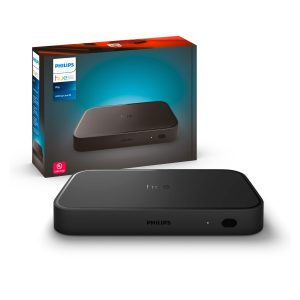
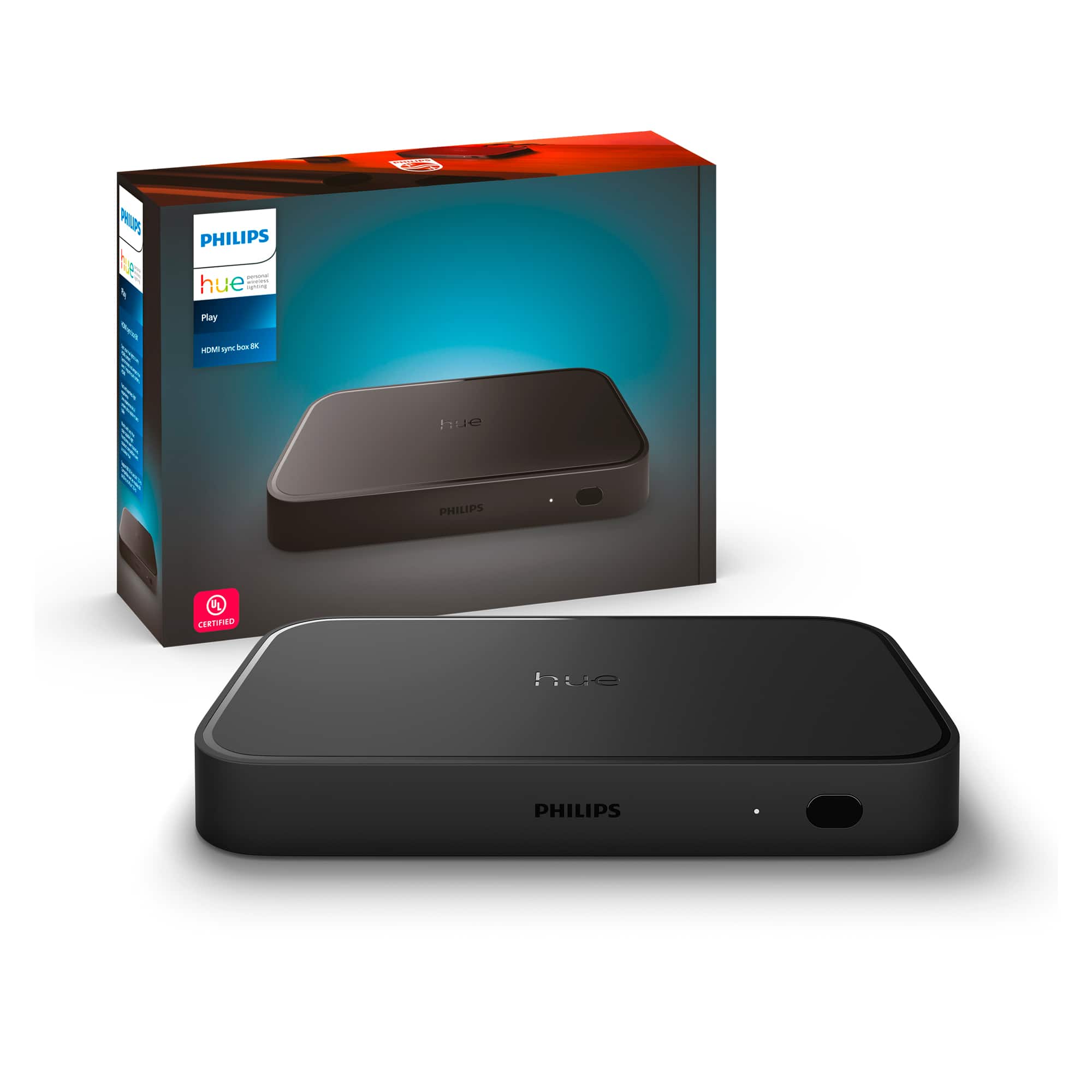
The Philips Hue Sync Box 8K sits between your entertainment sources and display, analyzing video signals in real-time to synchronize your smart lights with on-screen action. Unlike software-based solutions that use camera input or screen capture, this hardware approach ensures near-zero latency—critical for gaming and fast-paced content where even milliseconds matter.
| Specification | Details |
|---|---|
| HDMI Inputs | 4 ports with 48Gbps bandwidth |
| Maximum Resolution | 8K@60Hz, 4K@120Hz |
| HDR Support | HDR10, HDR10+, Dolby Vision, HLG |
| Audio Formats | Pass-through for all major formats |
| Required Components | Hue Bridge, compatible Hue color lights |
| Control Methods | Hue app, physical buttons, programmable remotes |
| Sync Modes | Video, Music, Game with intensity adjustment |
What these specs don’t tell you is how the system feels in daily use. The 48Gbps bandwidth matters most for future-proofing—while true 8K content remains scarce, the overhead ensures your 4K120 gaming doesn’t suffer from compression artifacts or signal degradation. The Dolby Vision pass-through works flawlessly in my testing, something cheaper alternatives often struggle with.
Real-World Performance & Feature Analysis
Design & Build Quality
The Sync Box feels premium—matte black finish, subtle branding, and weight that suggests quality internals. It’s designed to disappear into your entertainment center, though the small status LED can be distracting in dark rooms. The physical buttons provide welcome backup control when you can’t find your phone, a detail I appreciate after my smart home systems occasionally go offline.
The port layout is practical with adequate spacing for bulky HDMI cables, though positioning all four ports on the back makes cable management challenging if you frequently swap devices. Heat dissipation is excellent—after six hours of continuous gaming, the unit remained warm but never concerningly hot.
Performance in Real Use
Gaming reveals the Sync Box’s true potential. Playing fast-paced titles like Call of Duty, the lighting transitions are instantaneous—explosions wash the room in orange, sniper shots create sharp white flashes, and dark corridors are subtly illuminated. This isn’t just immersion; it provides tangible gameplay benefits by extending your peripheral vision and reducing eye strain during marathon sessions.
Movie nights transform completely. During Dune’s desert scenes, the room glows with warm amber tones that make you feel the heat. Underwater sequences in Avatar create cool blue ambience that extends the screen’s boundaries. The synchronization is so precise that guests often notice the lighting changes before realizing they’re synced to the content.
Where the system struggles is with varied content. Rapid-cut music videos can feel overwhelming, and news programs with scrolling tickers create distracting strobe effects. This is where the intensity settings become essential—I typically run video content at 50-70% intensity versus 90-100% for gaming.
Ease of Use
Initial setup is straightforward if you’re already in the Hue ecosystem. The app guides you through connection steps clearly, though the requirement for Hue Bridge adds complexity and cost. For newcomers, this represents a significant barrier—you’re looking at $300 for the Sync Box, $60 for Bridge, and at least $150-200 for starter lighting.
Daily operation shines through automation. The box detects active HDMI sources automatically, and I’ve programmed activity-based routines through my smart home system. Movie night triggers dimmed lights and sync mode, while gaming sessions automatically switch to high-intensity mode. The lack of built-in scheduling feels like a missed opportunity—you need external automation for time-based control.
Durability & Reliability
After two months of daily use, the Sync Box has been rock-solid. HDMI handshake issues occurred initially with my older Apple TV, but firmware updates resolved most compatibility problems. The system handles power interruptions gracefully, resuming previous settings once restored.
Long-term reliability appears excellent based on build quality and component selection. The fans remain whisper-quiet even during extended 4K120 gaming sessions, and the metal housing dissipates heat effectively. My only durability concern involves the HDMI ports—frequent cable changes could potentially loosen connections over time.
Pros & Cons
What works exceptionally well:
- Near-zero latency synchronization that actually enhances gaming performance
- Seamless integration with existing Hue ecosystems and smart home platforms
- Future-proof bandwidth that handles today’s 4K120 and tomorrow’s 8K content
- Multiple control options ensure you’re never locked out of operation
- Premium build quality that justifies the price point
Where it falls short:
- Significant ecosystem cost makes entry prohibitive for casual users
- Hue Bridge requirement feels unnecessary in 2026
- Overwhelming effects during certain content types require constant adjustment
- Limited value without substantial investment in additional Hue lights
- HDMI handshake issues persist with some source devices
Comparison & Alternatives
Budget Alternative: Govee Immersion Kit
At around $150, Govee’s camera-based system offers similar immersion at a fraction of the cost. The camera mounts to your TV and analyzes on-screen content, eliminating the need for HDMI connections. In practice, I found the latency noticeable during gaming, and the color accuracy can’t match Hue’s direct signal analysis. The setup works surprisingly well for movie watching but falls short for serious gaming. Choose this if you’re budget-conscious or want to test the concept before full commitment.
Premium Alternative: DIY Hyperion Setup
For technical enthusiasts willing to invest time, DIY solutions using Hyperion software and addressable LED strips can deliver superior results. You’ll need a Raspberry Pi, capture card, and custom LED installation, but the outcome offers more customization and potentially better performance. The trade-off is significant complexity—I spent weekends troubleshooting my setup before achieving stability. This route makes sense for makers who value customization over convenience.
The Hue Sync Box 8K occupies the sweet spot between these extremes—more polished than DIY solutions, more capable than budget alternatives, but commanding a price that reflects its positioning.
Buying Guide / Who Should Buy
Best for beginners: Surprisingly, the Hue ecosystem offers the most beginner-friendly experience despite higher costs. The app guides you through setup, and the hardware works reliably once configured. Start with 2-3 Hue Play bars behind your TV before expanding to full room lighting.
Best for professionals: Home theater installers and serious enthusiasts will appreciate the Sync Box’s reliability and integration capabilities. The ability to create scene-based automations and consistent performance makes it worth the premium for commercial installations.
Not recommended for:
- Casual viewers who primarily watch news or talk shows
- Budget-conscious buyers—the total system cost quickly exceeds $500
- People with light sensitivity or migraine triggers
- Those with simple single-source setups who won’t utilize multiple HDMI inputs
- Anyone expecting plug-and-play simplicity without technical setup
FAQ
Do I really need the Hue Bridge?
Unfortunately, yes. The Sync Box relies on the Bridge for processing and communication with lights. This adds cost and complexity but ensures reliable performance across your entire smart lighting system.
How many lights do I need for good results?
Start with 2-3 lights directly behind your TV. The experience improves dramatically with additional lights around the room, but the diminishing returns kick in after 4-5 units. My sweet spot is 6 lights total.
Will it work with my gaming PC?
Yes, but you’ll need to route your PC through one of the HDMI inputs. The Sync Box handles high-refresh-rate gaming beautifully, though competitive esports players might find the effects distracting during ranked matches.
Is the upgrade from 4K version worth it?
Only if you own or plan to upgrade to 8K displays, or need 4K@120Hz for next-gen gaming. The previous model handles 4K@60Hz content perfectly well for most users.
Can I use it with projectors?
Technically yes, but the experience suffers since projectors typically can’t match the color accuracy of high-end displays. The lighting effects may not match projected content as precisely.
What’s the real cost of ownership?
Beyond the $290 Sync Box, budget $60 for Bridge, and $150-400 for lighting depending on room size. Total setup costs typically range from $500-800 for a compelling experience.